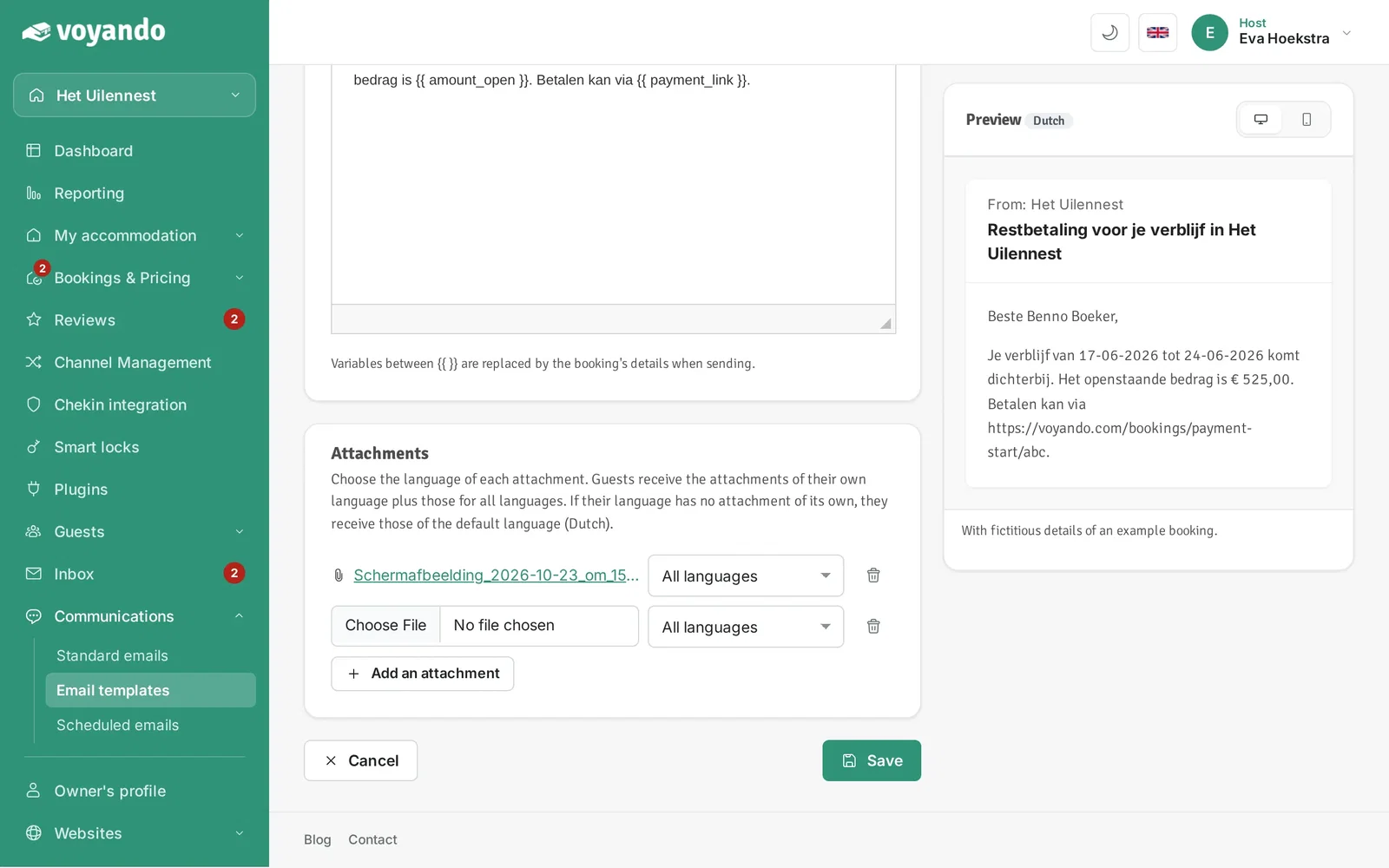
Simply customise the subject, content and send time of your email template and replace all scheduled emails with a single click.
Step by step
-
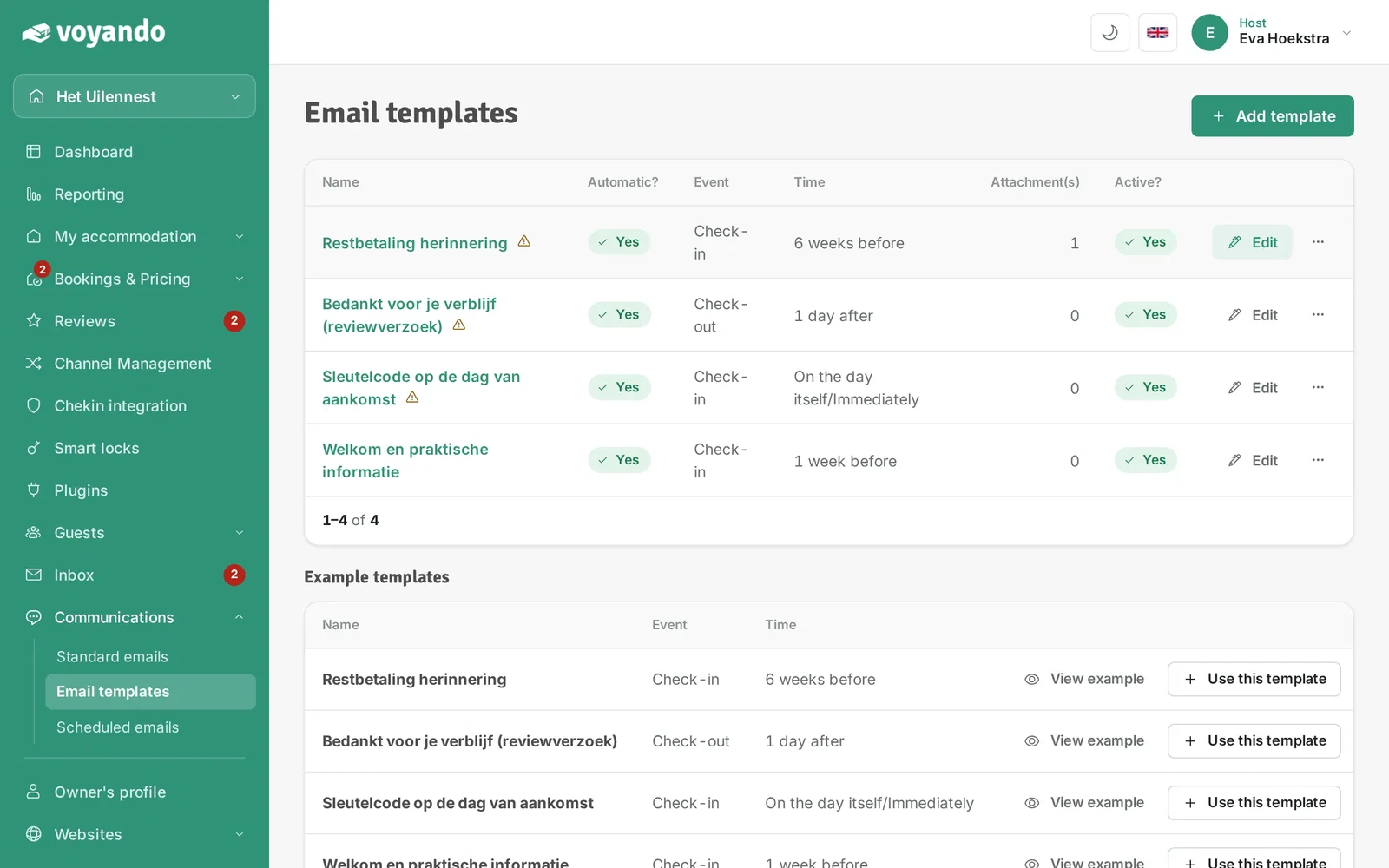
Step 1: Go to your dashboard.
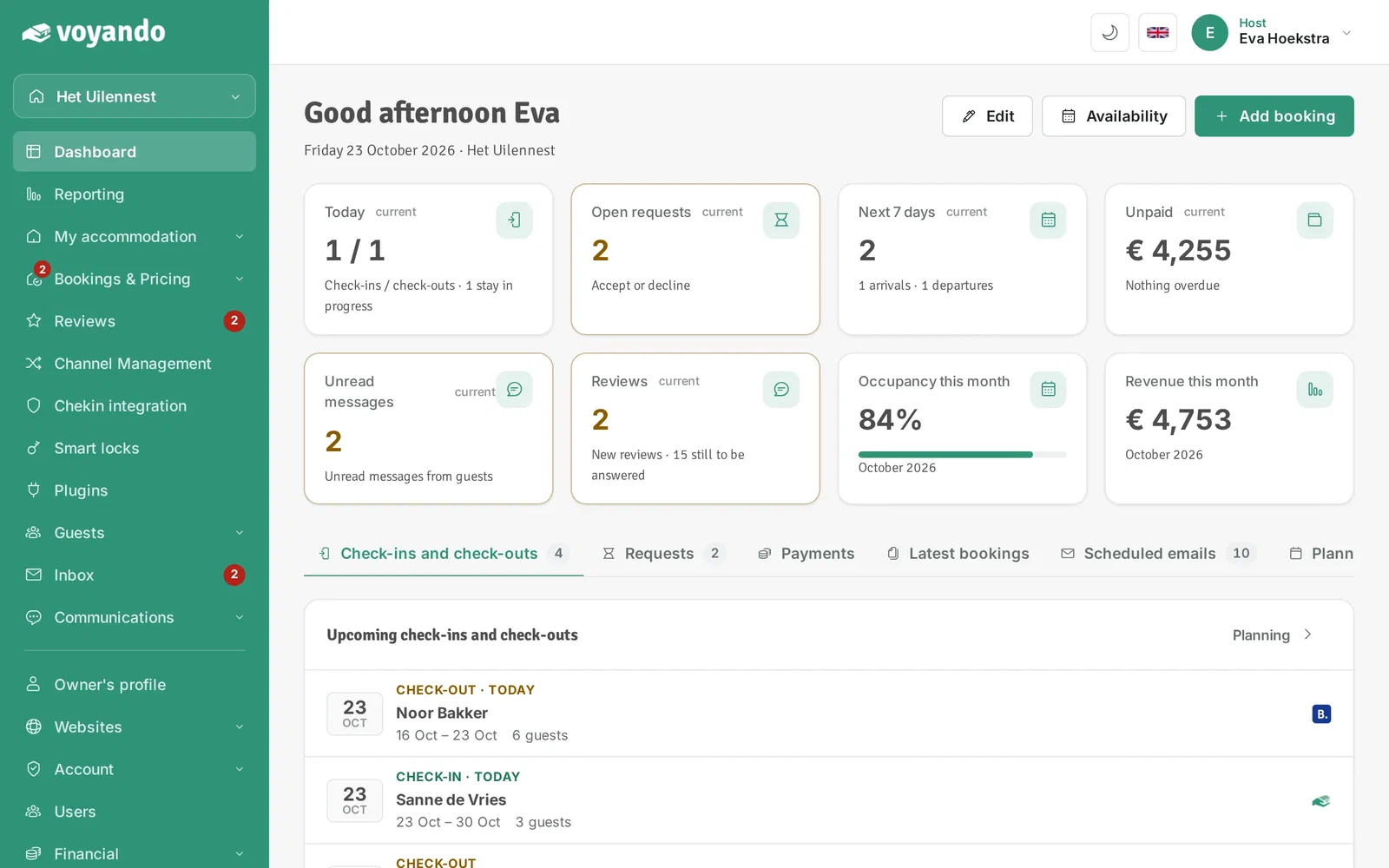
-
Step 2: Click Communications in the menu.
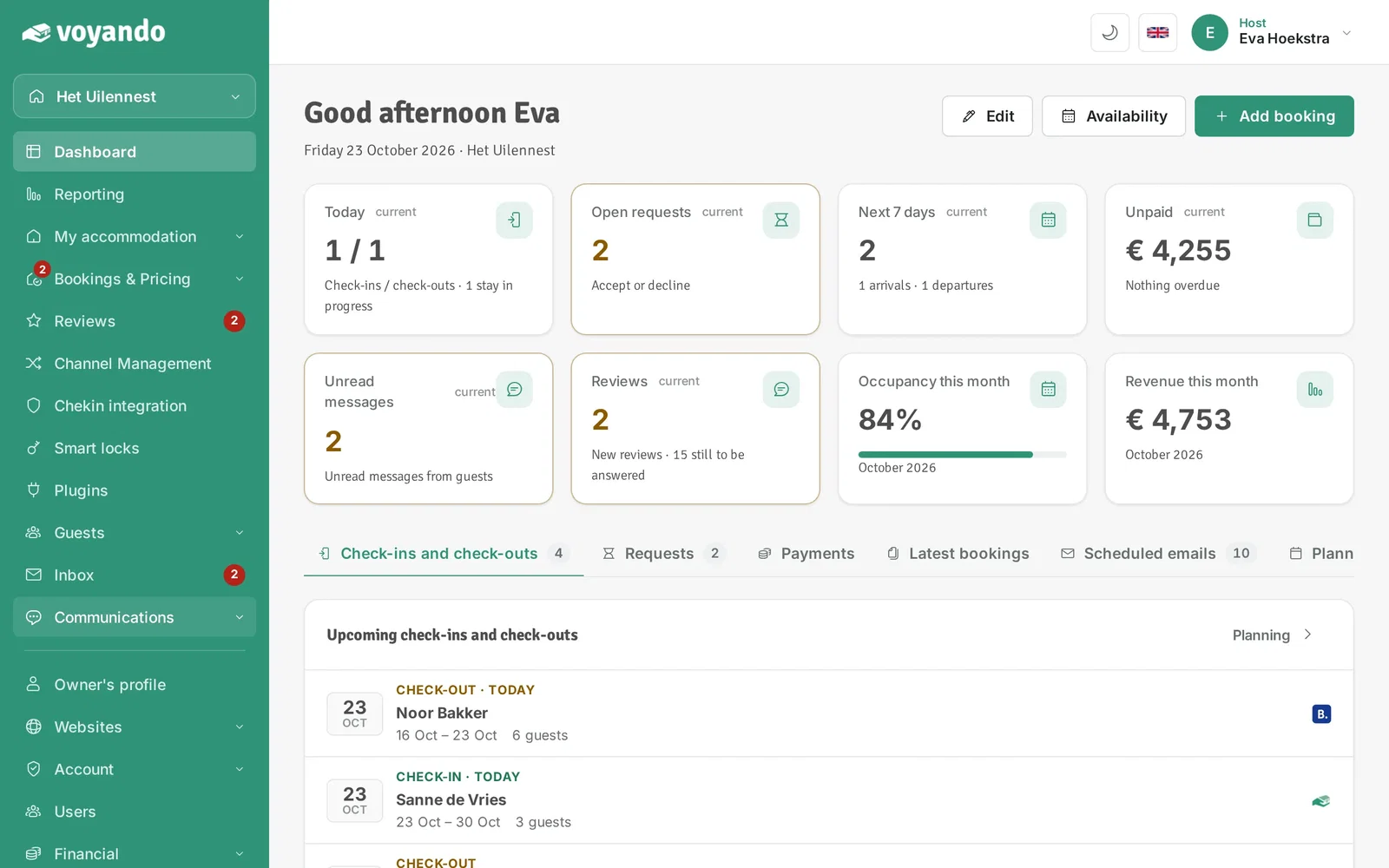
-
Step 3: Click Email templates.
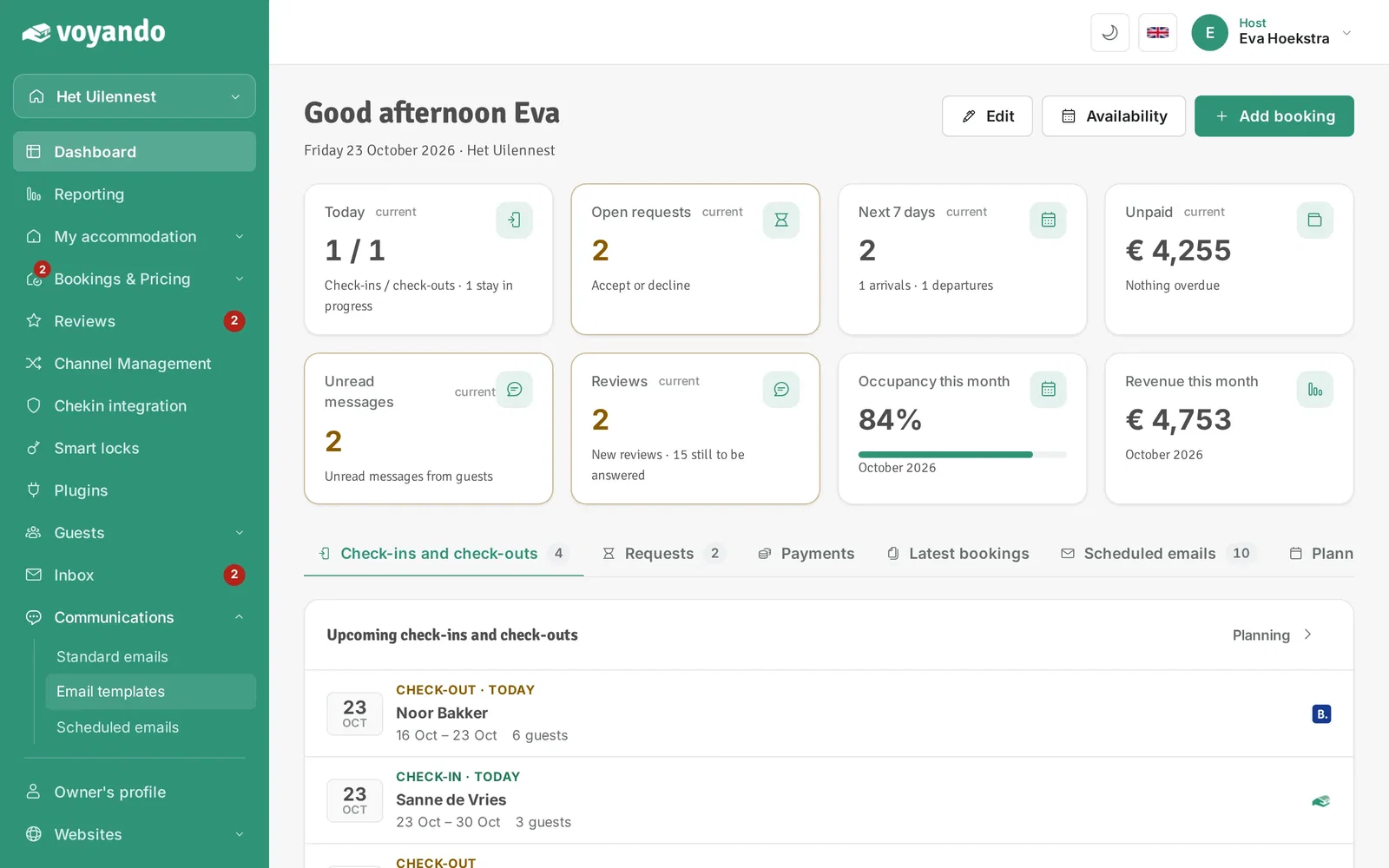
-
Step 4: Find the template you want to change and click Edit.
-
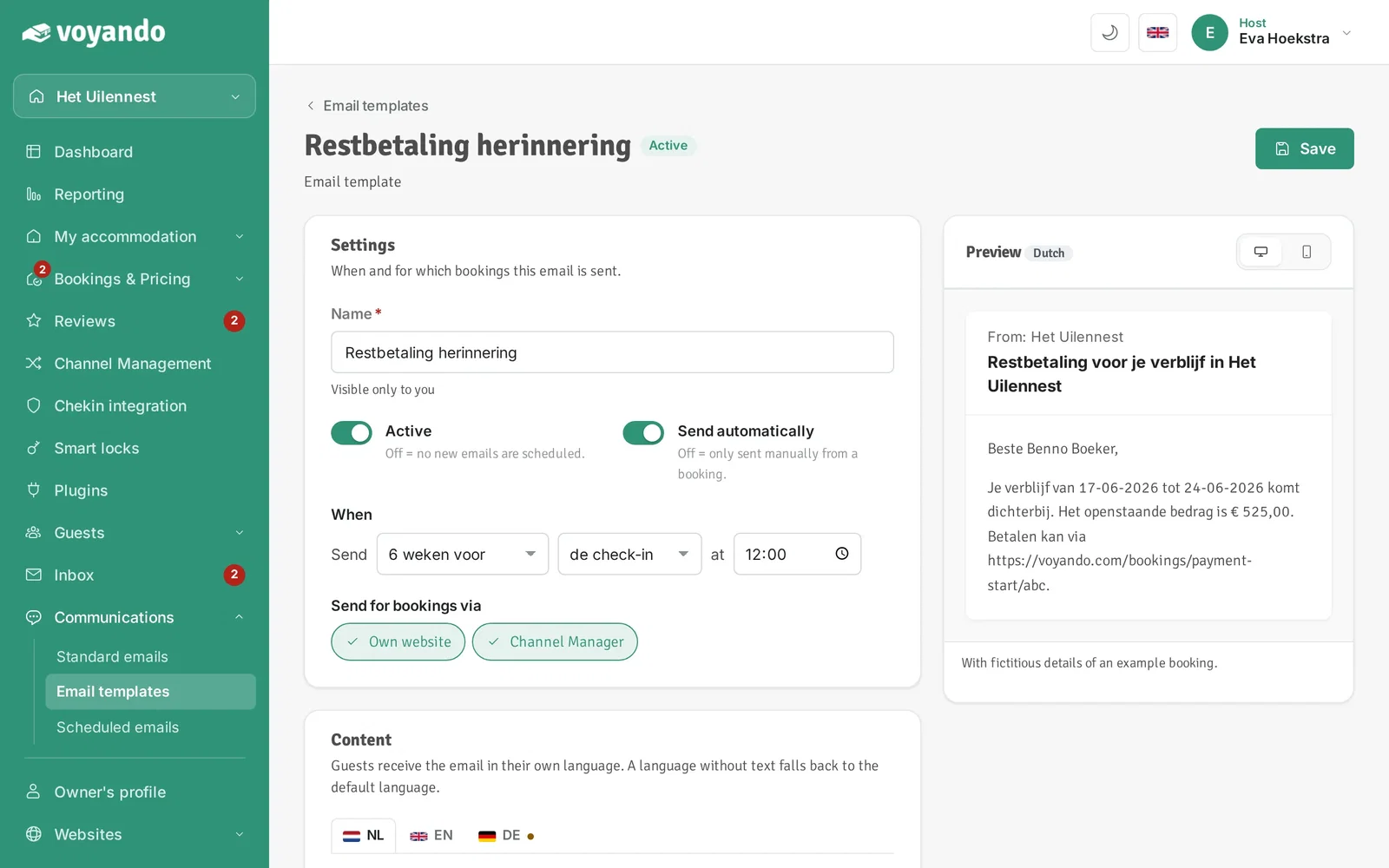
Step 5: If needed, change when the email is sent under When.
-
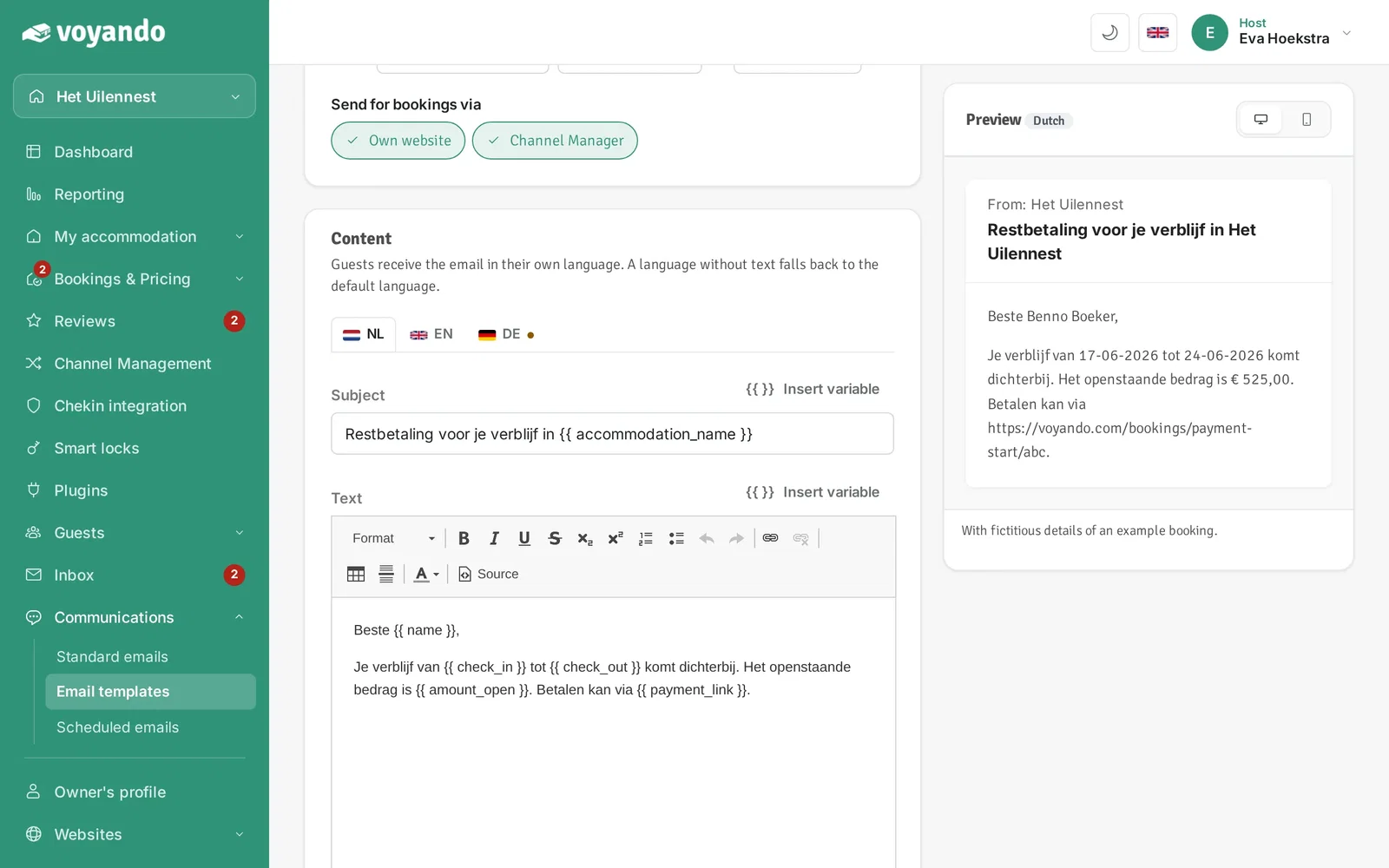
Step 6: If needed, change the subject.
-
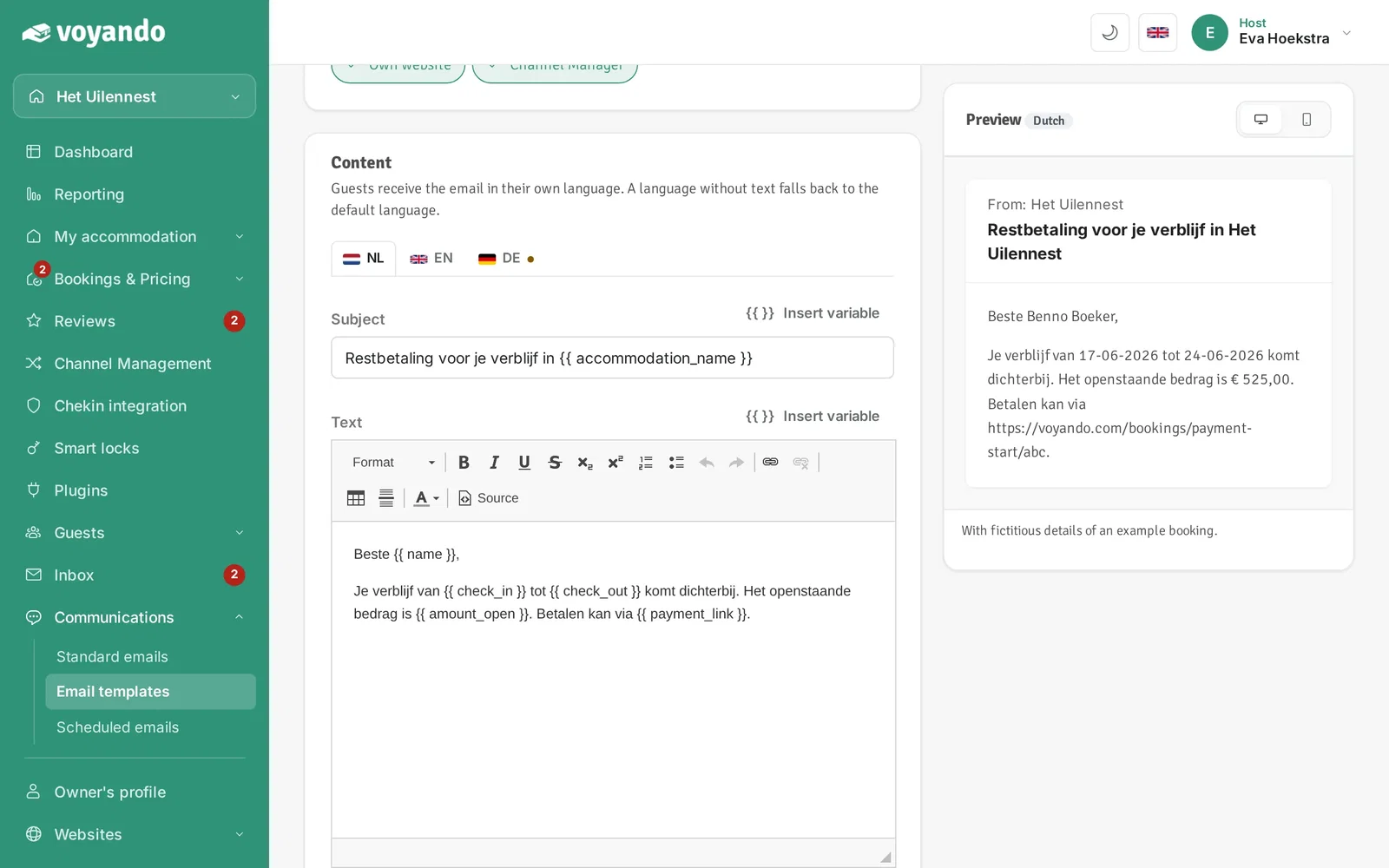
Step 7: If needed, change the content.
-
Step 8: Click Save. If emails of this template are already scheduled, Voyando asks whether to update them too.