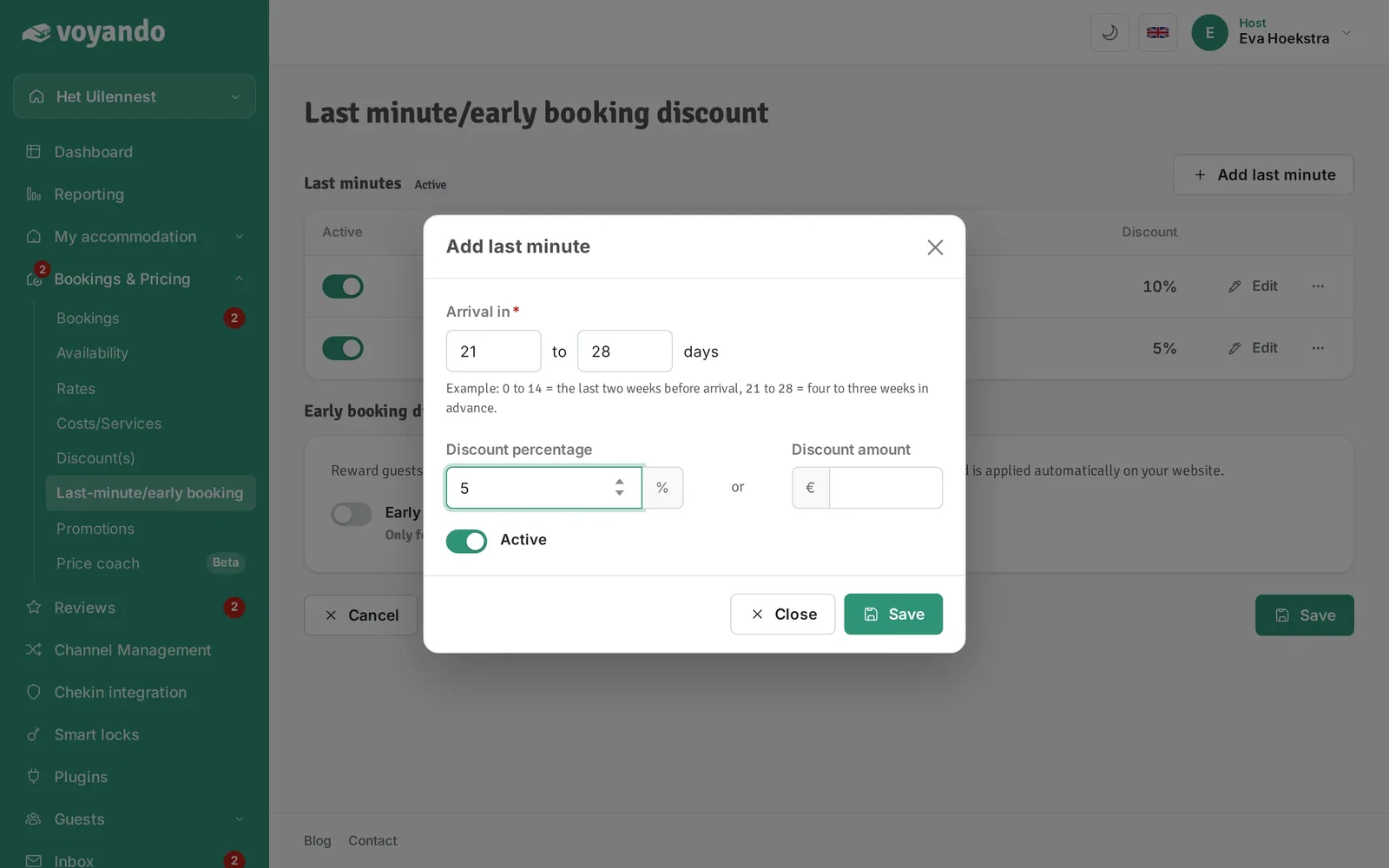
You can easily set up a last-minute discount for your website by selecting the discount type and start date in the Voyando dashboard.
Step by step
-
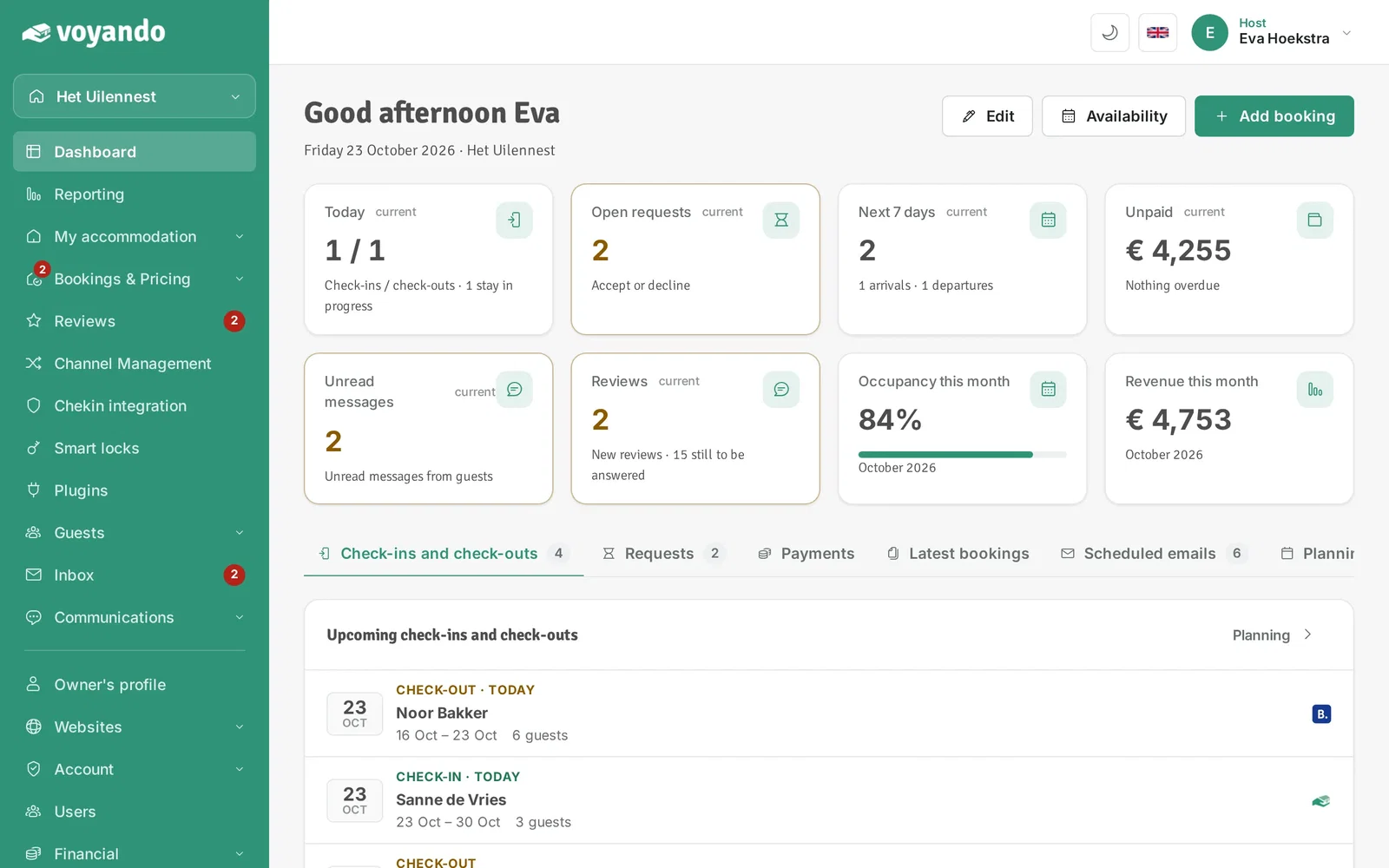
Step 1: Go to your dashboard.
-
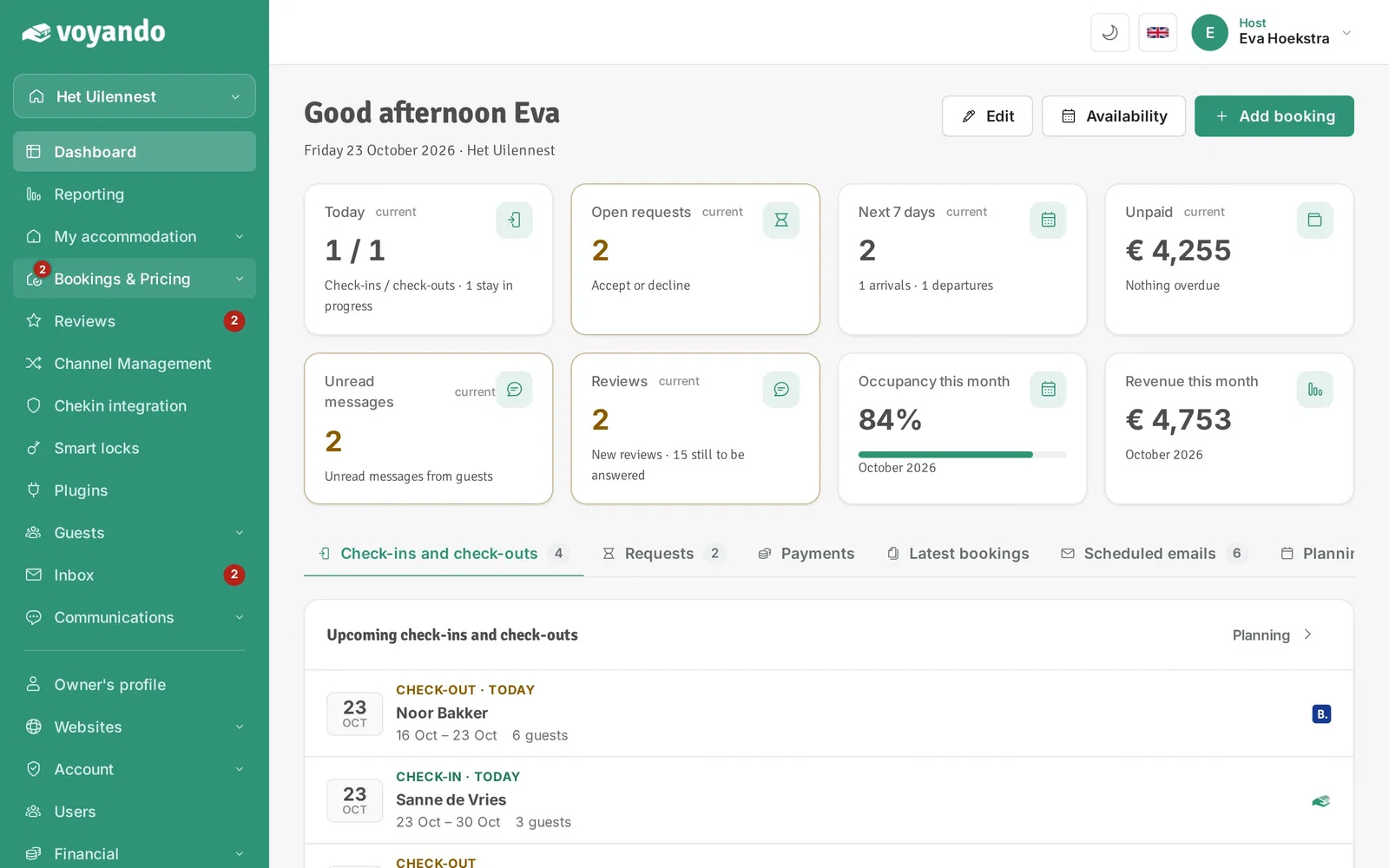
Step 2: Click Bookings & Pricing in the menu.
-
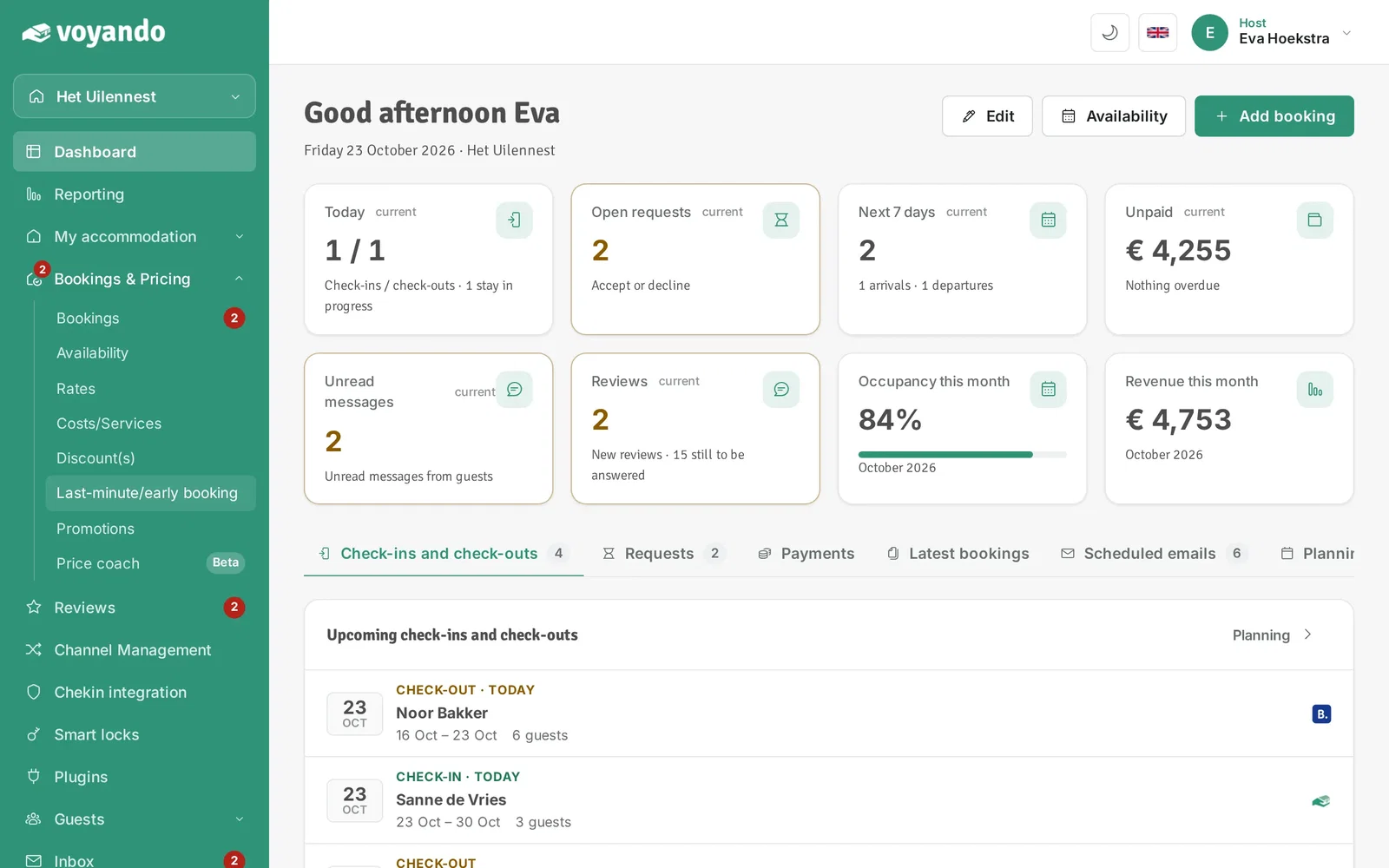
Step 3: Click Last-minute/early booking.
-
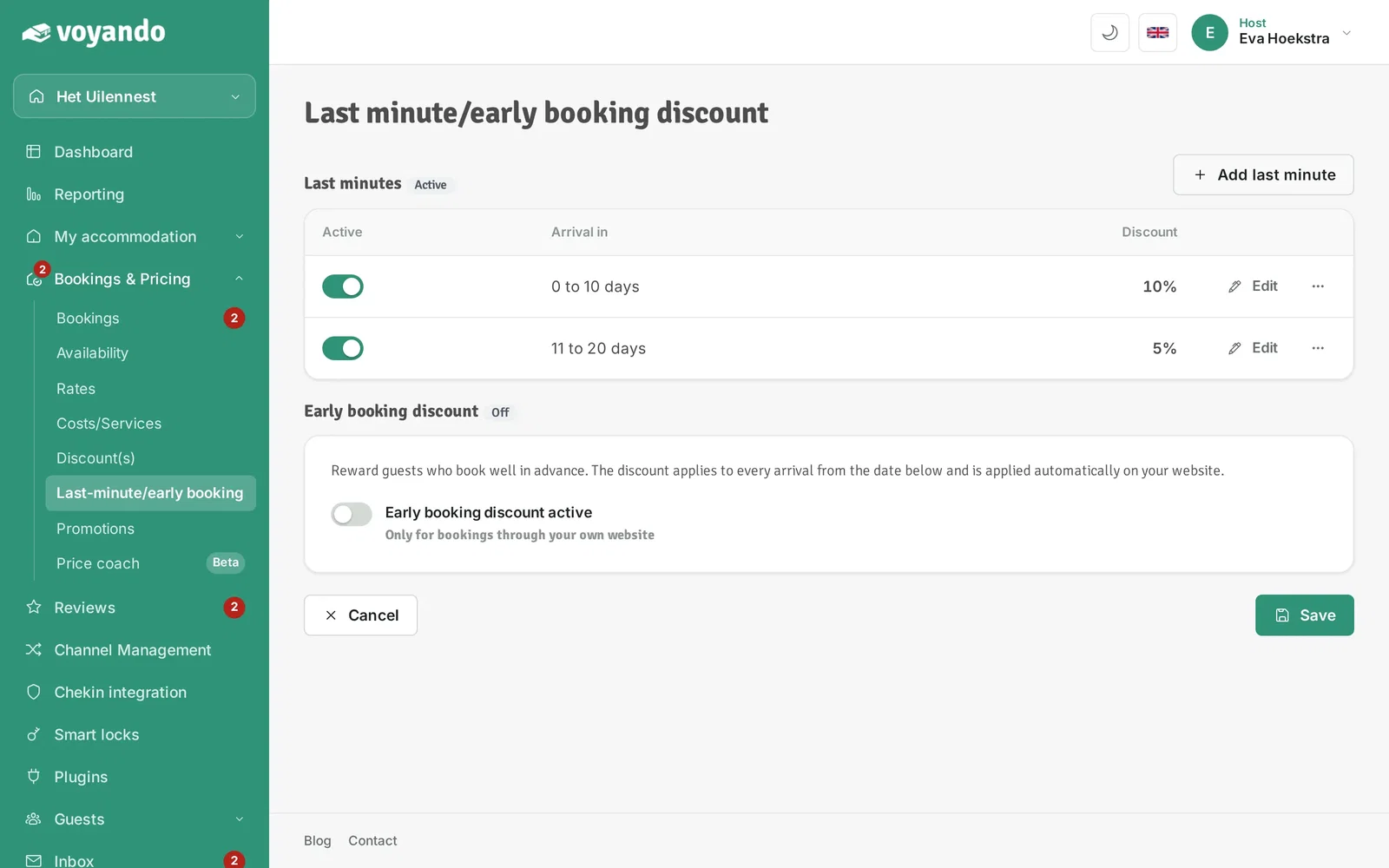
Step 4: Click Add last minute. You can set up several last minutes side by side.
-
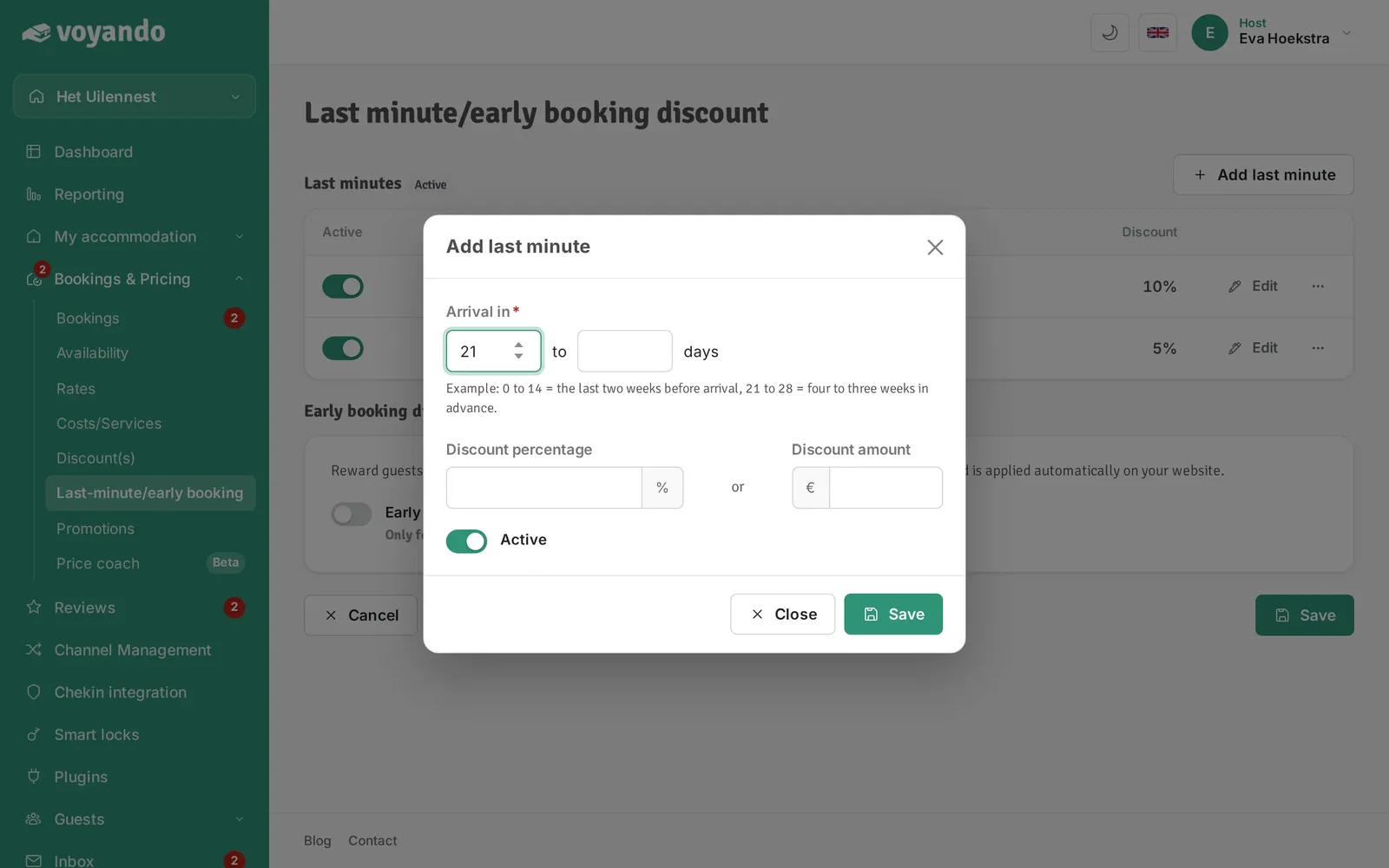
Step 5: Under Arrival in, enter the first number, here 21 days (three weeks). 0 means up to and including the day of arrival.
-
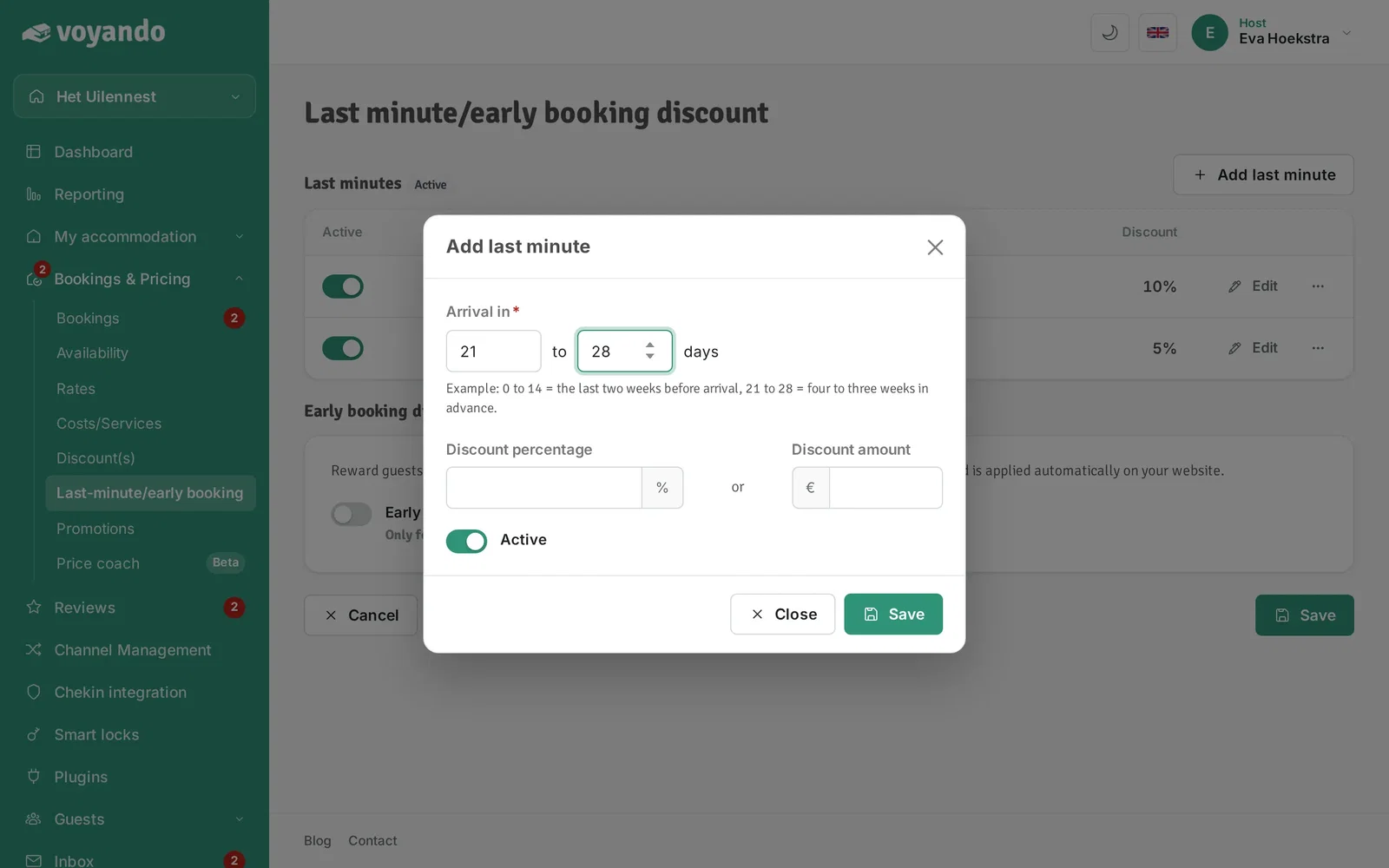
Step 6: Enter the second number, here 28 days (four weeks). The discount then applies to arrivals in 21 to 28 days.
-
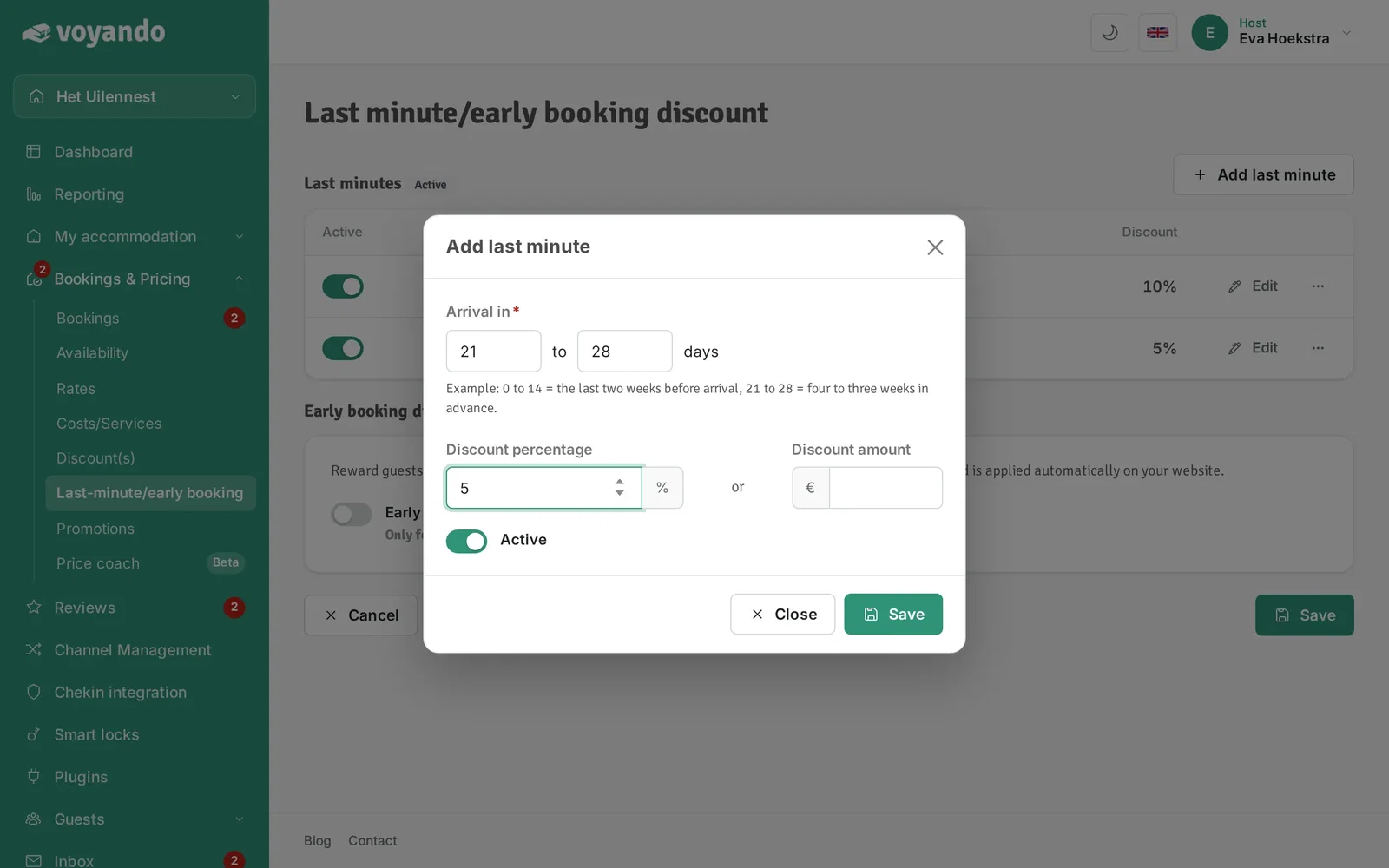
Step 7: Enter the discount, as a percentage or as a fixed amount.
-
Step 8: Click Save. Periods may not overlap; the discount of the period the arrival falls in is applied automatically.