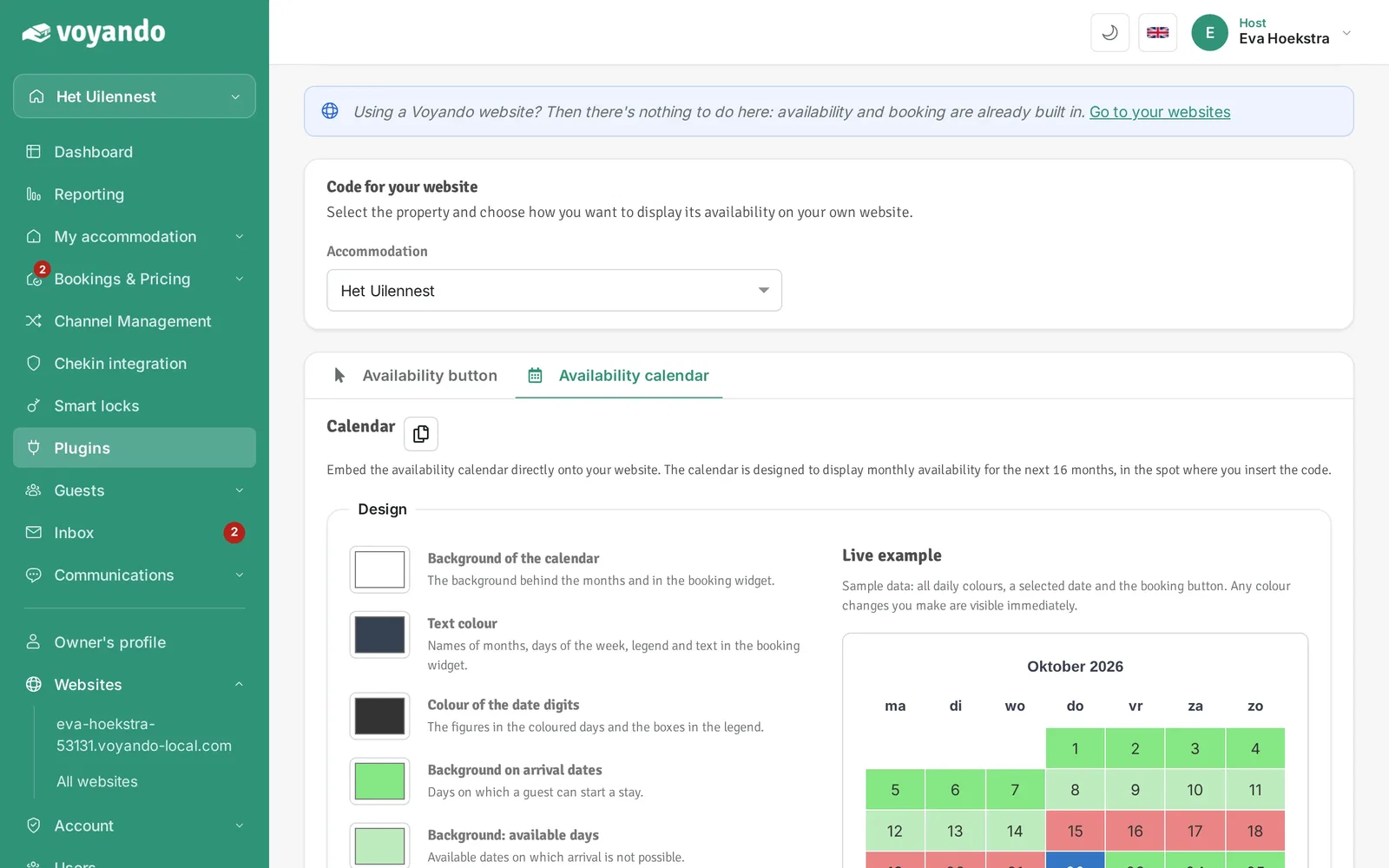
Already have a website you want to keep? Add Voyando's availability calendar to it. Guests see straight away which dates are free, and you keep your calendar in one place. Read more about using Voyando with your own website.
Step by step
-
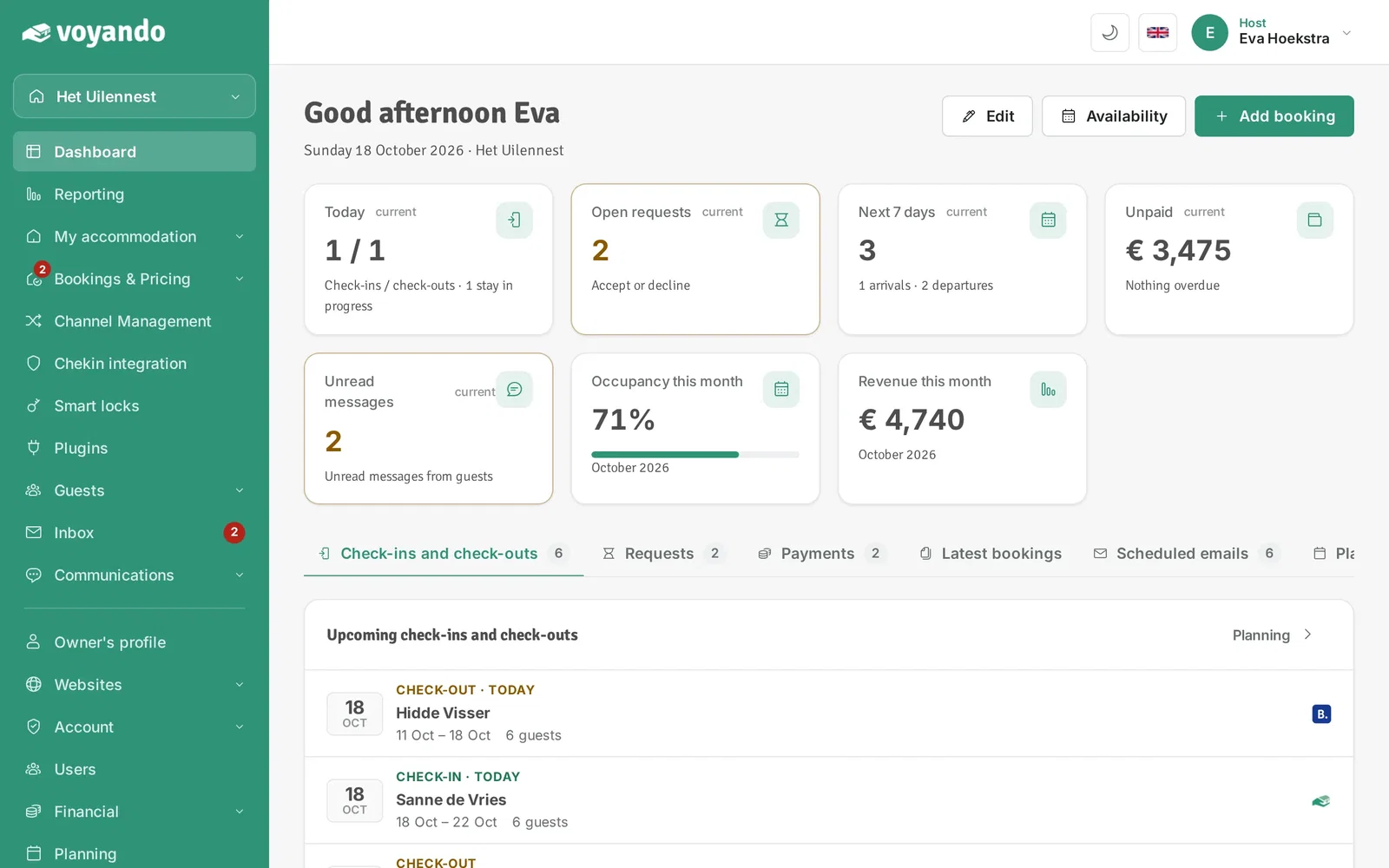
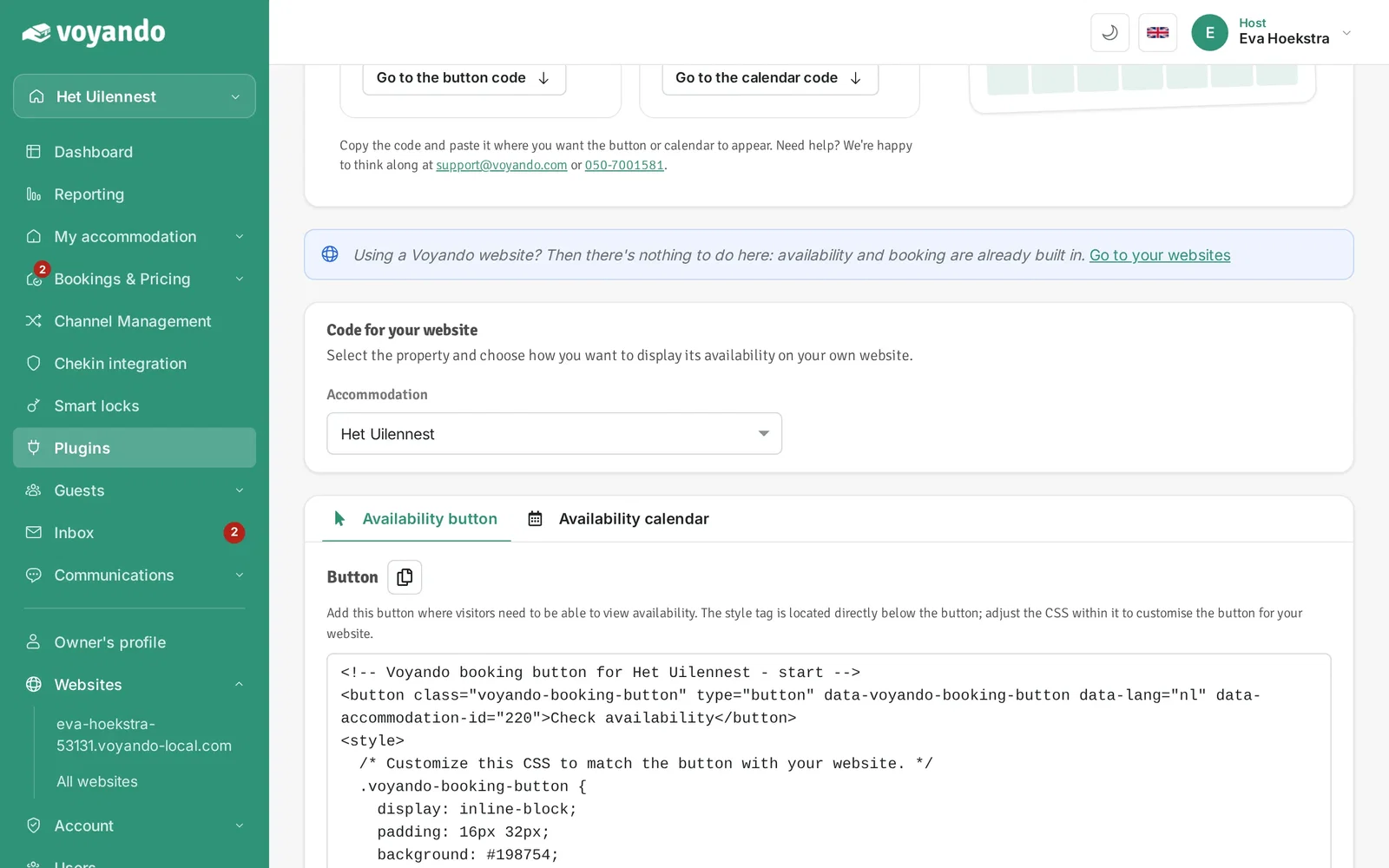
Step 1: Go to your dashboard.
-
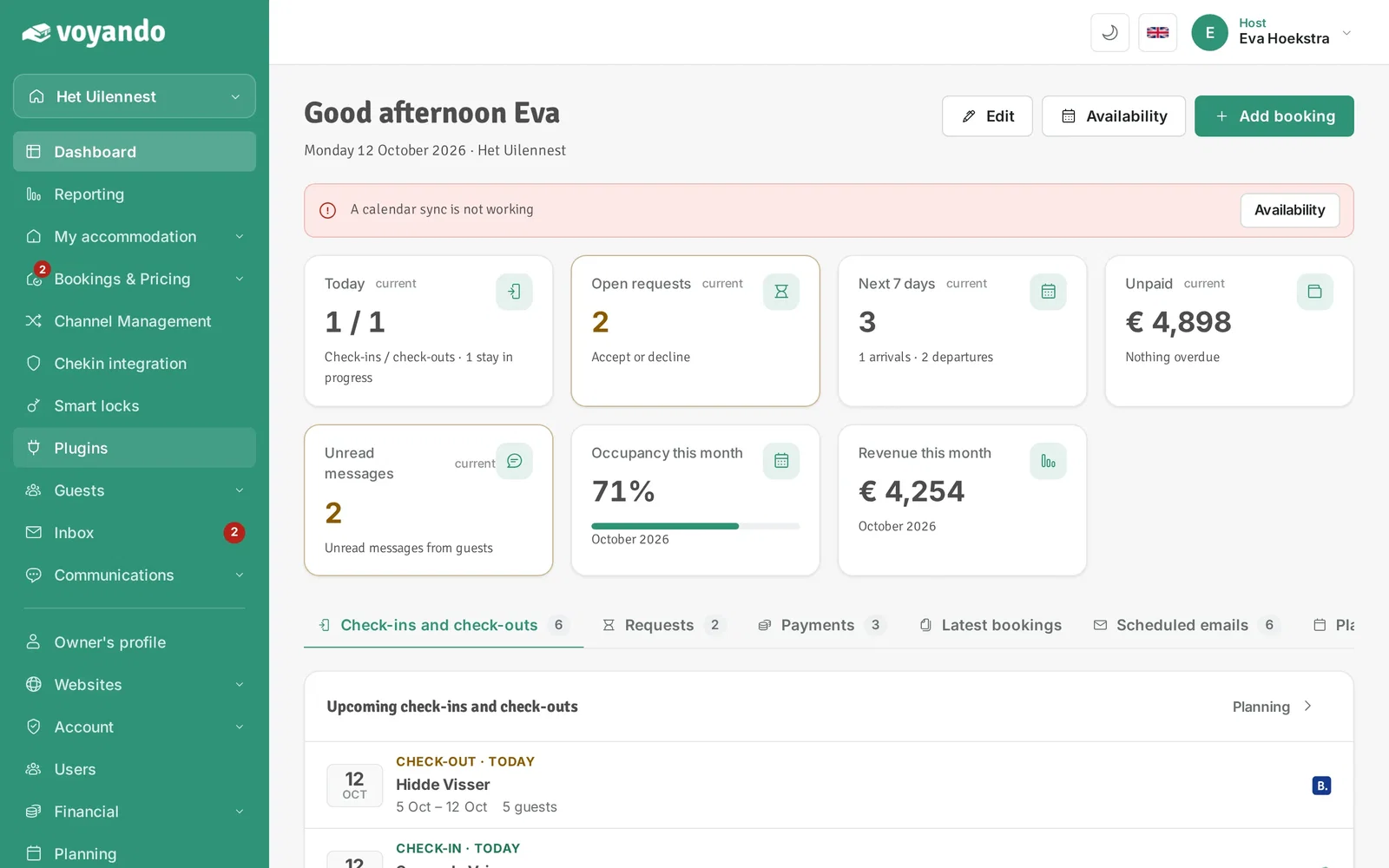
Step 2: Click Plugins in the menu.
-
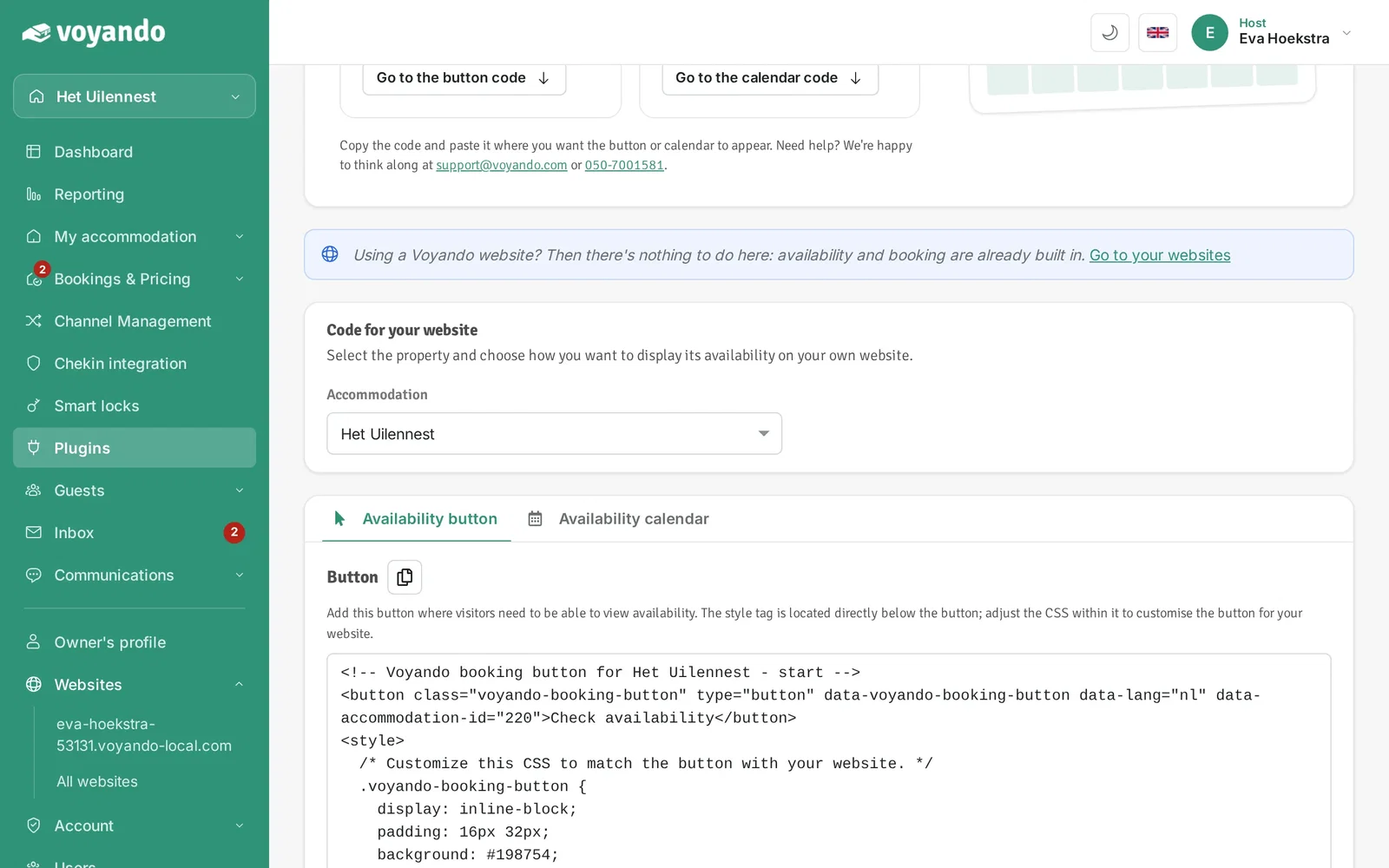
Step 3: Under Accommodation, choose the accommodation whose availability you want to show.
-
Step 4: Click the Availability calendar tab.
-
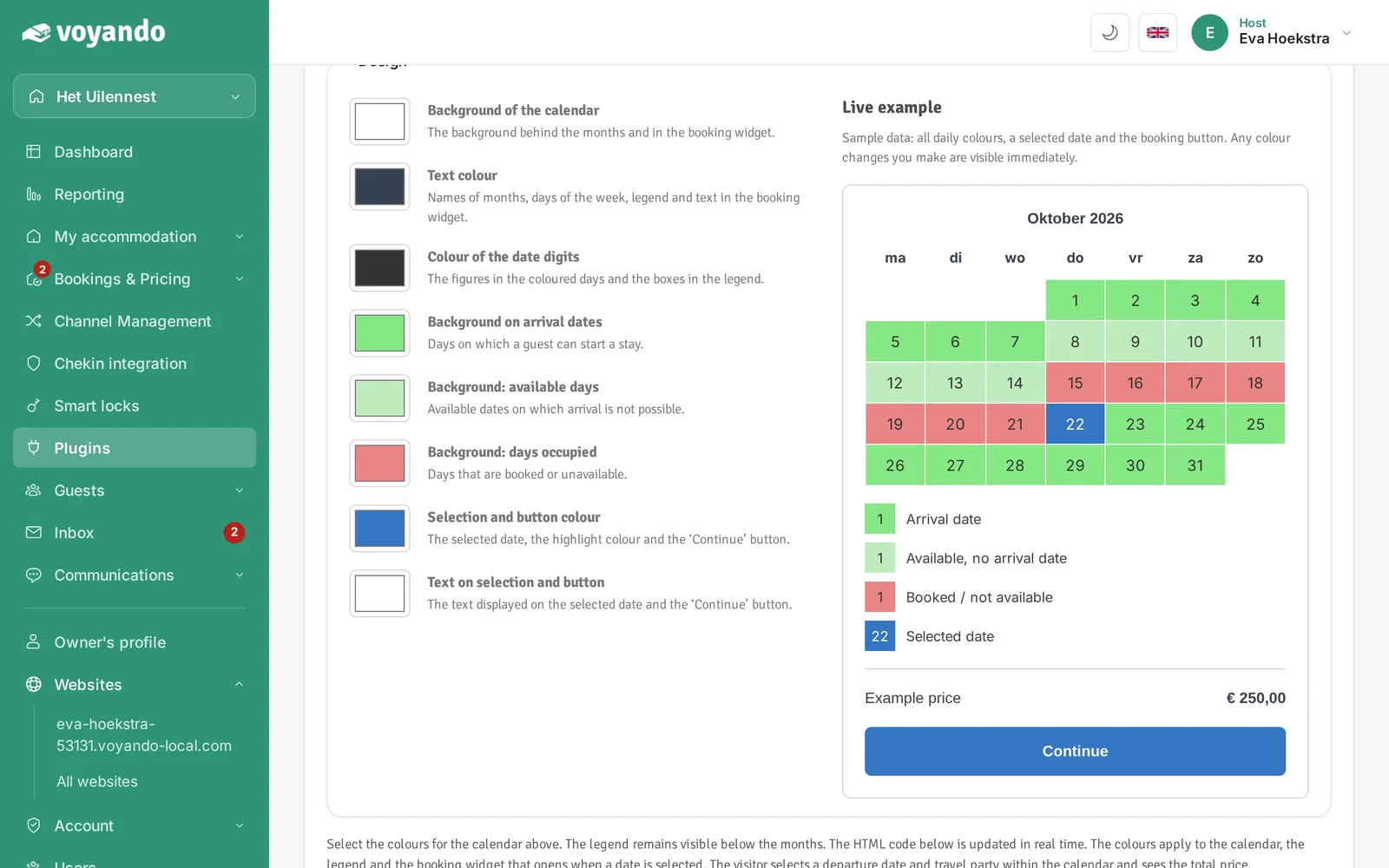
Step 5: Optionally choose the colours of the calendar. The preview and the code update straight away.
-
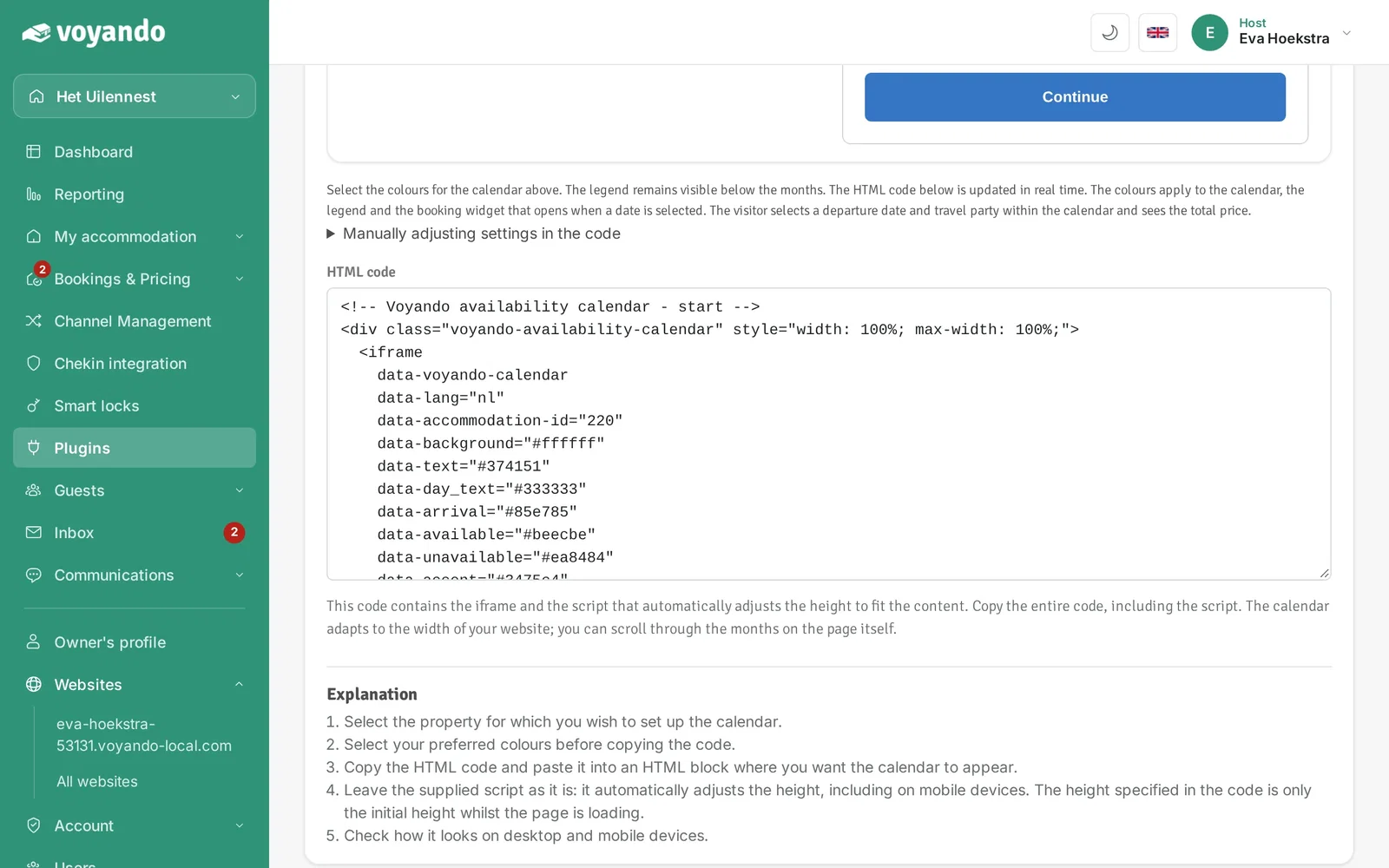
Step 6: This is the code for your website. It contains the calendar and the script that adjusts its height automatically; always copy the complete code.
-
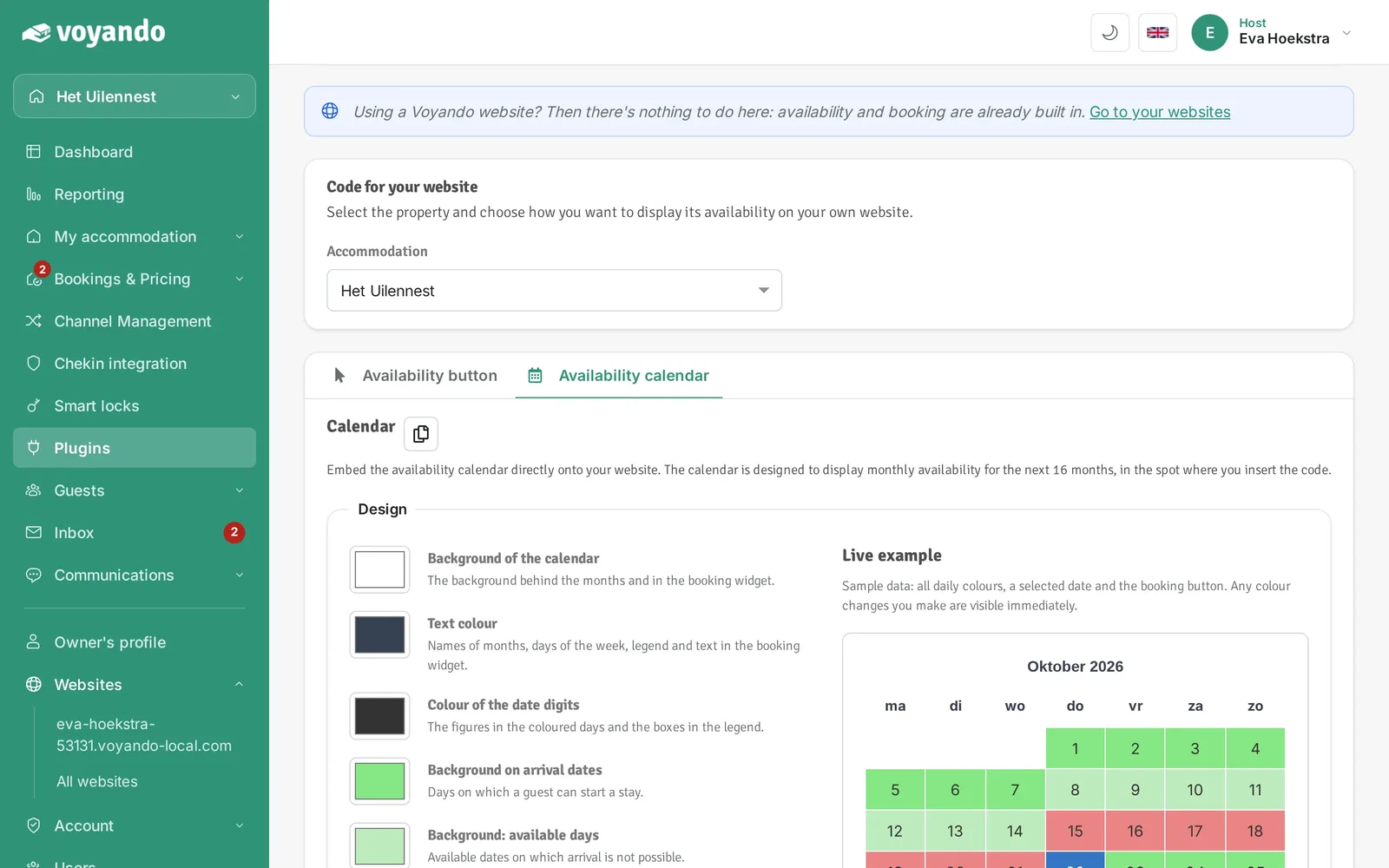
Step 7: Click the copy icon next to Calendar to copy the code.
-
Step 8: Paste the code on your own website where the calendar should appear. Then check on a computer and a mobile phone that everything works. Not sure how? Ask the person who built your website.